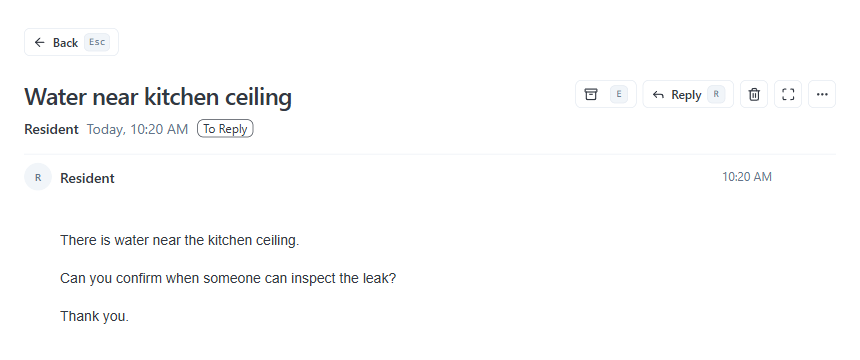
Start with one queue.
Choose your most active inbox: maintenance, leasing, or owner inquiries. We review recent active threads with zero upfront setup.
The AI Response System for Property Management
Same Day Response connects to your company Outlook, reviews active threads, and organizes every message by who owes the next move. It pre-drafts replies with zero risk of autonomous sending.
Read-only analysis. Drafts prepared for review. Nothing is changed or sent without your approval.



Read the request. Review the response.
The starting workflow uses human-reviewed drafts.
Connects to company-managed Outlook. Your PMS stays the source of truth. 100% human-approved drafts.
A reply is only part of the work.
Who owns the next move?When is the next update?What would let this close?Synthetic follow-through example
Three matters. Different reasons to act. Select one to see the owner, action and next update.
Approval first, then today’s update and tomorrow’s access blocker. This is an illustrated ordering decision.
Selected matter
Still open: the repair decision and completion evidence are missing.
Selected matter
The repair remains open. An update promise is not completion evidence.
Selected matter
An unconfirmed appointment is not completed work.
This is a website illustration of the response-work model, separate from the app references above. It does not demonstrate automatic ranking or verified repair completion.
Real First-Run Onboarding
I’ll review your recent email threads and show you who needs to act next. Nothing will be changed or sent.
Choose your most active inbox: maintenance, leasing, or owner inquiries. We review recent active threads with zero upfront setup.
Every reply is prepared as a draft. Your team reviews and approves before anything leaves your inbox.
AppFolio, Yardi, and Rent Manager stay your source of truth. We connect directly through Outlook with zero database changes.
Operator perspective
Created by Anthony A. Luna, a property management operator and author.
The starting question: what is still waiting after someone replies?
Before you start
One company-managed Outlook workflow (maintenance, owner relations, or leasing). Safe read-only analysis; a personal inbox is outside initial scope.
No. The system generates drafts in your tone and style. Your team reviews, edits, and clicks to send. Outbound mail is never sent autonomously.
Approved Microsoft 365 / Outlook access to the selected workflow. AppFolio, Yardi, and Rent Manager remain your accounting sources of truth.
You get an immediate diagnosis of your team's response bottleneck and a practical next step to test the working queue. No email required.
Response Reliability Check
Your role. Four questions.
A practical recommendation without entering your email.
No email required. Takes 45 seconds.
The Same Day Response Brief